
In the FIRST Robotics Competition program, scouting is an important aspect of being a successful team. Our rookie FRC team quickly learned that becoming a top-seeded alliance captain with no data to rely on for our partner picks was quite the strategic challenge. And so, in our second season, we began exploring methods to scout teams at our competitions.
Generally, the scouting process involves a team observing teams’ performance in matches to understand their strategy, find trends, and ultimately help plan their strategy to succeed. But each team has their own preferences for what data they need, and we needed to find ours!
Trying the basics#
We started our journey with paper scouting forms. A scouter would fill out a new page for each match a team plays. Unfortunately, the paper form was overwhelming for our scouters, who had to constantly look between their clipboards and the field. Our strategists, too, had to sort through a whole stack of forms to find the data they were looking for.
So we quickly concluded after our first event of scouting that paper wouldn’t cut it, leaving digital tools as the only other option. There were existing scouting tools created by other teams, like Lovat and ScoutRadioz . They allowed for quick collection of specific data, a variety of analytics, had easy-to-understand user interfaces, and were what we stuck with for most of the season. However, these tools were still designed around the needs of the teams that created them, and didn’t perfectly fit our strategy. At the end of our second season, we concluded that we needed to develop our own tools to have more control over what data and analytics we could use.
Objectives#
Before getting into the UI, I discussed the requirements of our scouting program with our strategy team.
I needed to design:
- a simple user interface for scouters, with large buttons and fewer fields of input per screen
- a simple way to view statistics for the game strategy team, featuring charts showing various metrics of performance changing over time for a particular team and average statistics for score contribution, missed scoring, etc.
Stack#
Backend#
I chose MongoDB, a document-oriented database, to store our scouting information in a readable JSON-like format and allow for quick modifications.
The backend is written in Python and uses the FastAPI library to provide endpoints for the user-facing app. FastAPI let me easily generate API documentation from my code and comments and enforce strict input validation with Pydantic schemas. To get basic information on teams, events, and matches, we use The Blue Alliance .
Frontend#
The frontend is written in Dart using the Flutter framework, which allows us to use the same code to release our app both as a website, and as an app for Android and iOS.
Scouting process#
Making assignments#
At the beginning of an event, scouters must be assigned to each team in each match so that data is available for every team. The scouting lead provides a list of scouters and a range of matches to assign, then the first six scouters in the list are assigned for the first five matches, then the next six, and so on, wrapping back to the first scouter at the end of the list.
Creating reports#
Each scouter submits a report, which provides information for a team in one match. This varies from season to season, though the basic details usually stay the same:
- Does the robot have a preloaded item?
- Where does the robot start?
- How does the robot move autonomously?
- How effective are the team’s defensive strategies?
After these, we have a set of season-specific details we’d like to gather, which usually involves a general list of robot actions, such as picking up a game piece and scoring it.
At the conclusion of the match, scouters provide some qualitative information about what they observed, such as if the team did any particularly effective strategies or experienced any failures.
Analyzing data#
After a scouter submits a report, the backend computes some analytical information which gets attached to the match report, and is used to speed up aggregate analytics. This usually includes the total number of game pieces scored, the count of how many times the robot played defense, and an estimated score contribution to the match.
Analytics#
Team members can use the scouting app to perform analysis on the collected scouter data.
Quantitative#
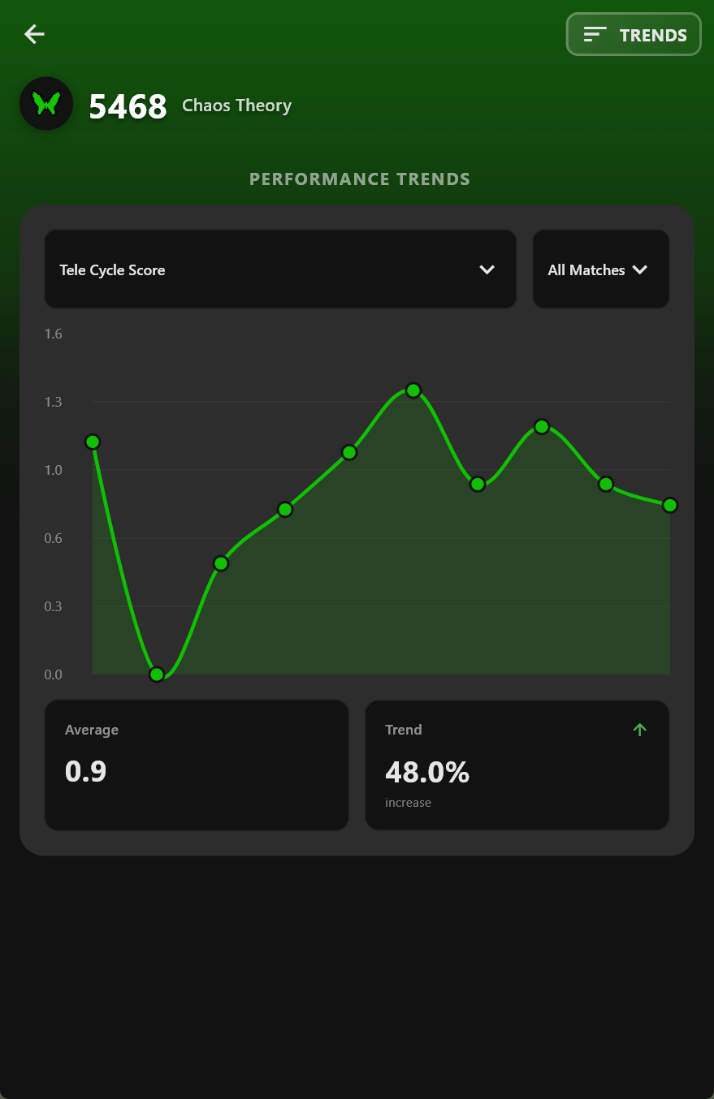
The backend creates trends for each available metric for a particular team, such as the number of points contributed, the accuracy of the robot, game pieces scored, and further season-specific data. It shows how a team’s performance changes as they progress from match to match.
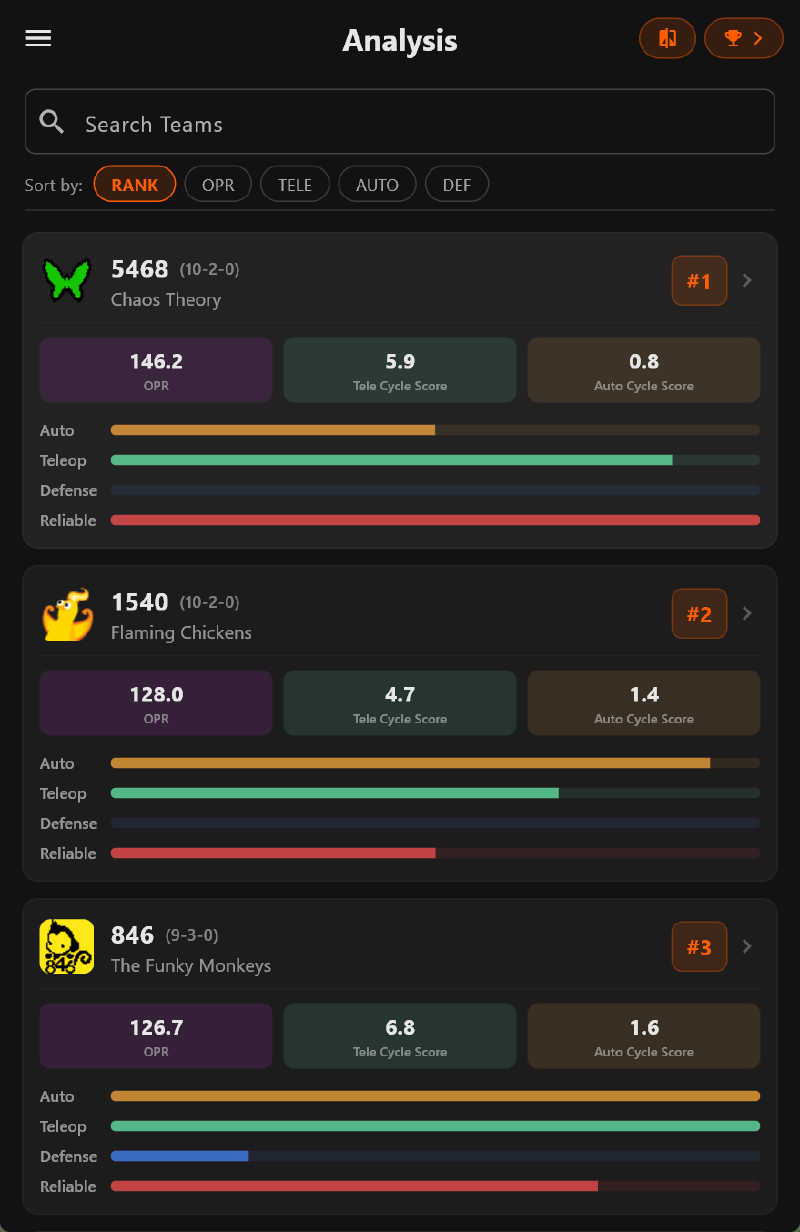
The list of all teams further includes brief overview statistics and allows strategists to quickly sort through top teams by specific criteria.
Qualitative#
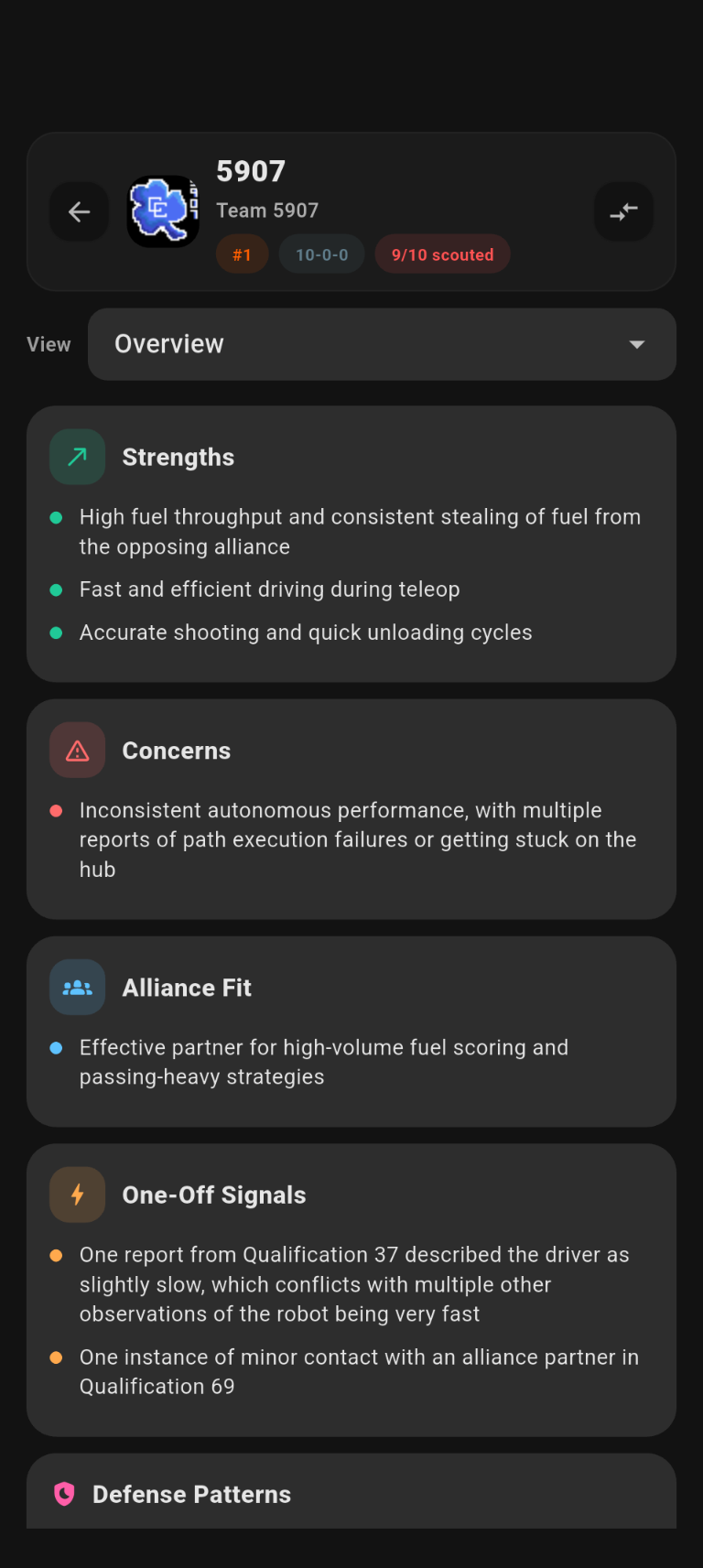
In addition to quantitative data, the scouting app also provides the ability to view qualitative and subjective data provided by scouters. For each team in each match, scouters are given the option to provide additional written notes on the performance of the robot. This can help further with strategizing, as it conveys information excluded from quantitative data.
To quickly analyze written notes, the scouting backend makes summaries using the Google Gemini API, providing the LLM with context about the game and qualitative data such as scouter notes, which it summarizes into short snippets.
Using the interface#
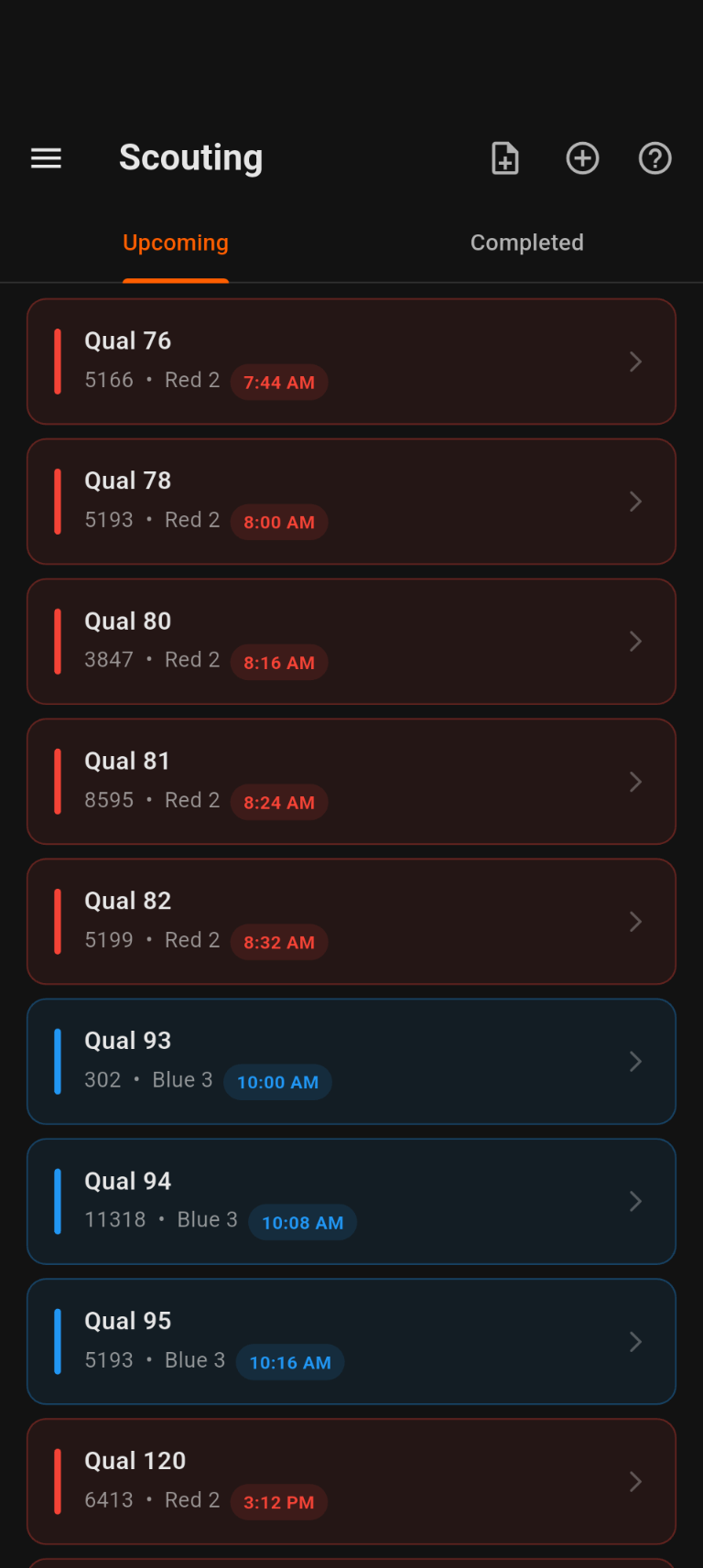
After scouter assignments are generated, scouters can log in to their own accounts and see their assigned matches.
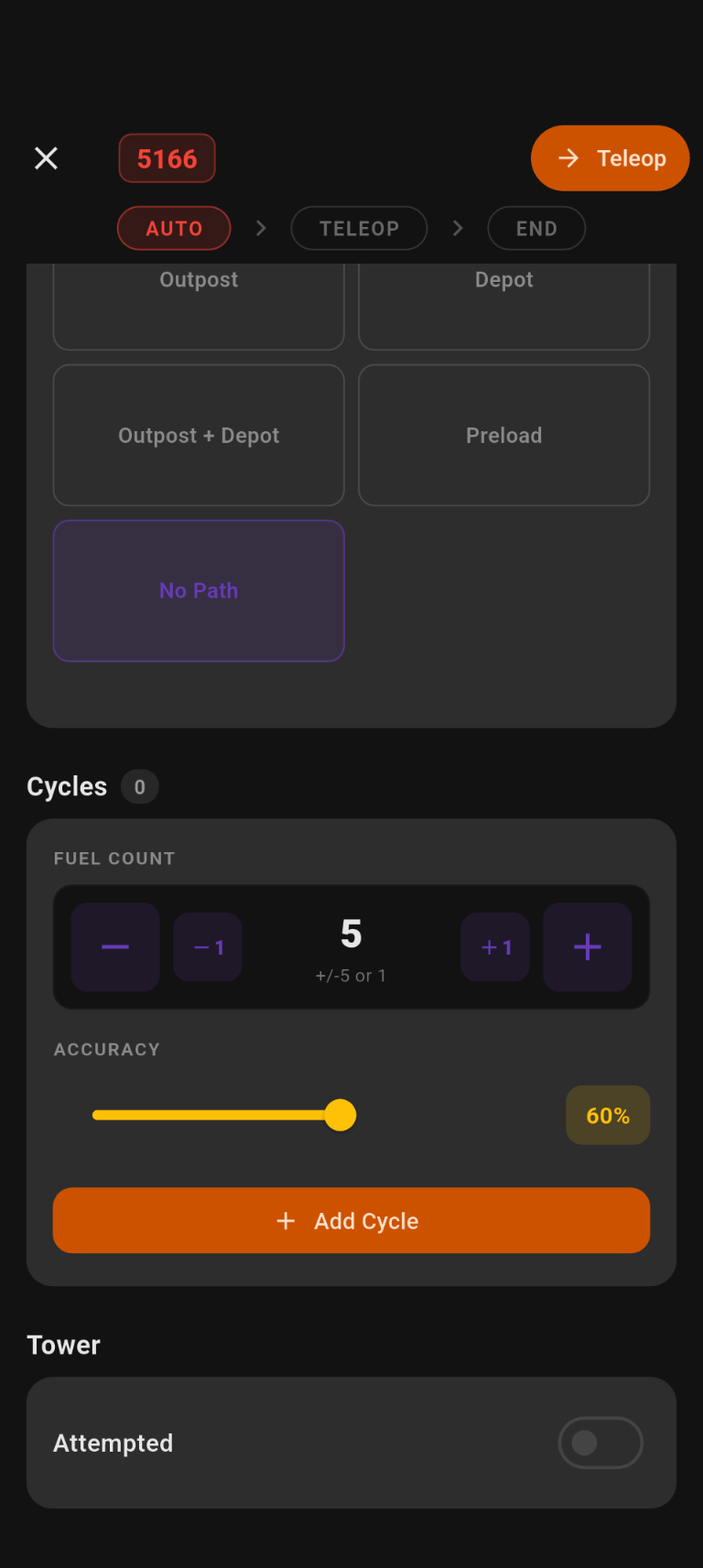
During the match, the scouter is presented with various options that correspond to season-specific robot actions. The entry screen transitions between several states when buttons are pressed, showing only relevant options to minimize confusion.
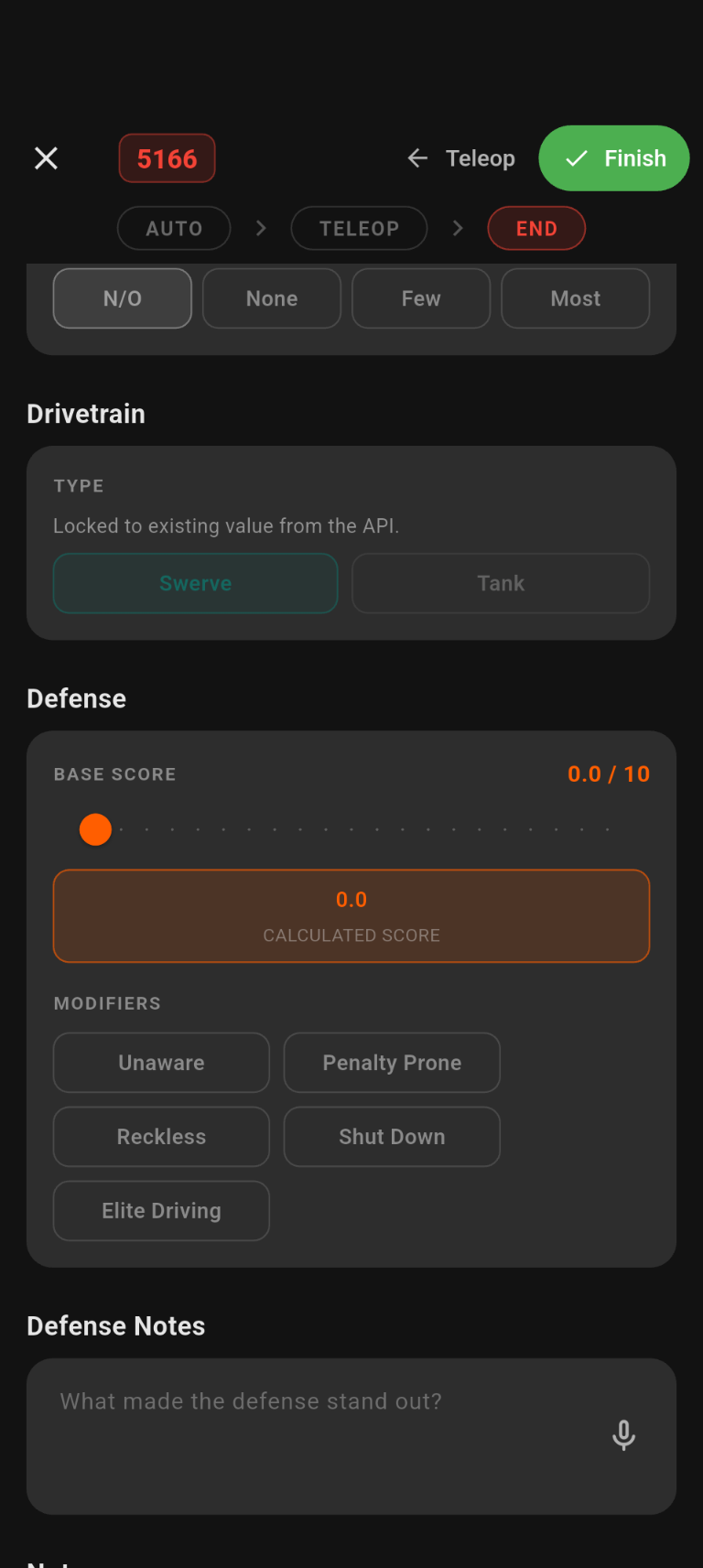
At the end of the match, there is a post-match form that asks for the robot’s final state, as well as some subjective notes.
Future plans#
Of course, this is only how our scouting app has evolved up to this point. Some improvements that I’m considering are expanding support for the backend to allow for more than one team to use it at once, providing a more detailed administrative page to easily manage different aspects of the app, and expanding on the flexibility of the data collected. We still have more upcoming seasons to strategize for, and I’ll definitely be implementing more features!