
A while ago, I came across a piece of malware called Walliant. Walliant is a simple program that changes your wallpaper daily, but with a side of malware bundled in. It comes with the GlobalHop SDK, which provides “proxy-leveraging functionality,” essentially turning infected devices into proxies available for use via residential proxy services, which can route traffic through the user’s connection without their consent. It’s commonly dropped by malicious installers (e.g. OpenCandy or InstallCore) as “optional offers” to software.
Though Walliant was indeed malware, it came with an actual wallpaper app, unlike most modern malware which does its job invisibly. So, I wanted to rebuild the app from source, and leave the proxyware behind.
Getting a sample#

Not wanting to get lucky with an optional offer for Walliant, I went to its website (hxxps://walliant[.]com) instead.
Putting aside the fact that this was blatantly a poorly-filled-out template site, the text below the download button does indeed make a mention of the program’s malicious purposes.
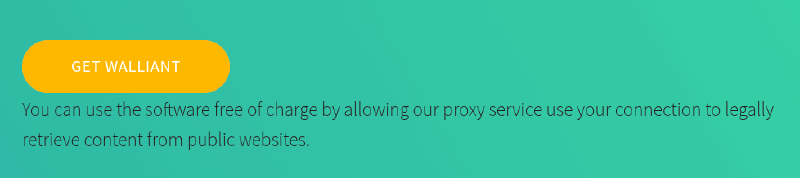
However, when installed as an optional offer, Walliant’s installer runs silently, bypassing any disclosure of its terms.
Rather than running the installer, I used InnoUnpacker instead to safely extract the program’s executable and libraries (inside a virtual machine, of course).
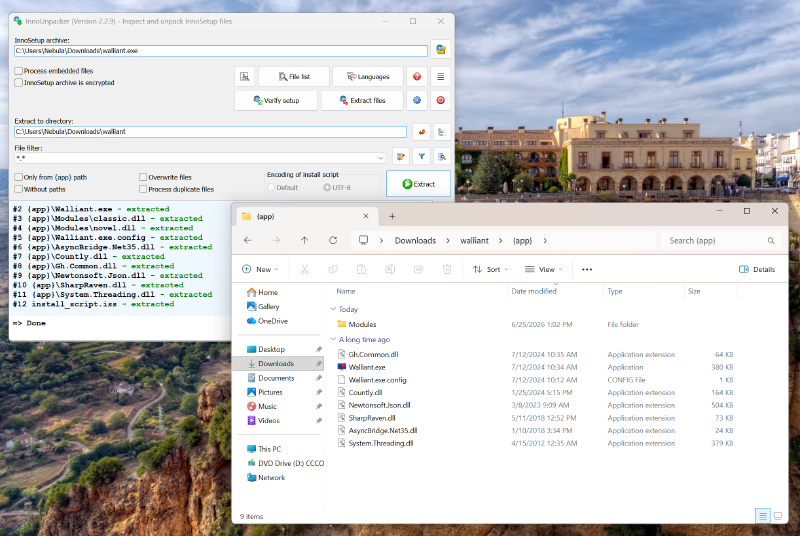
Putting aside the third-party libraries, the two files of interest are Walliant.exe, the main executable; and Gh.Common.dll, which bundles some additional code.
Examining the code#
Knowing that the program was written in C# (Newtonsoft.Json is a fairly common third-party C# library), I looked for a C# decompiler to get some source code. Though dnSpy
is a popular choice, I found dotPeek
to produce more accurate decompilations. I exported the decompiled code to a Visual Studio project and downgraded the C# syntax (removing file-scoped namespaces) for a good starting point.
Looking at the code, I found the first relevant snippet, inside a file named Agent.cs, which is invoked every time the program starts. This code runs through a list of loaded “brokers” (the proxyware) and waits for all of them to start before enabling Walliant’s wallpaper functionality:
private void Start(bool silent)
{
  if (this.started)
    return;
  this.started = this.StartBrokers() > 0;
  if (silent)
    return;
  this.config.AgentEnabled = true;
  this.OnUpdated(new AgentEventArgs()
  {
    Enabled = this.started
  });
}

private int StartBrokers()
{
  int num = 0;
  foreach (Broker broker in this.brokers)
  {
    try
    {
      broker.Start();
      ++num;
    }
    catch (Exception ex)
    {
      Logger.Instance.Error(ex);
    }
  }
  return num;
}
The list of “brokers” is found by loading in every .dll file from the program’s install directory, specifically in the Modules folder:
private void Load(string path)
{
  foreach (string file in Directory.GetFiles(path, "*.dll"))
    this.Attach(file);
  if (this.brokers.Count != 0)
    return;
  Logger.Instance.Error((Exception) new InvalidOperationException("Failed to load agent"));
}
Those were the target of my patching. I didn’t need to investigate the broker DLLs themselves, but just remove the app’s dependency on them. I edited the code to stop loading the broker DLLs, stub out states the UI expected, and make the rest of the program believe that the agent startup had succeeded. After that, I was able to make a successful build of Walliant without any malicious proxyware!
There were still a few more things to change, however. Walliant sourced photos from the Windows Spotlight and the Bing homepage APIs, but since it used legacy sources, the images were limited to 1080p. I updated the Windows Spotlight URL to use Windows 11’s source, allowing it to receive 4K images. Besides that, I also re-enabled the wallpaper display styles submenu, removed the “License” and “About” links to Walliant’s website, and cleaned up some menu options that no longer existed.
But I still needed a different name. Walliant is a portmanteau of “wallpaper” and “brilliant,” so I just swapped the words around to make Brillipaper!
Sidequests#
After making a clean build, though, I still had two loose ends to tie up. What were the broker DLLs, and was Walliant part of a larger family of apps?
Modules#
What’s in the Modules folder? Why, two suspiciously-named DLL files, of course!
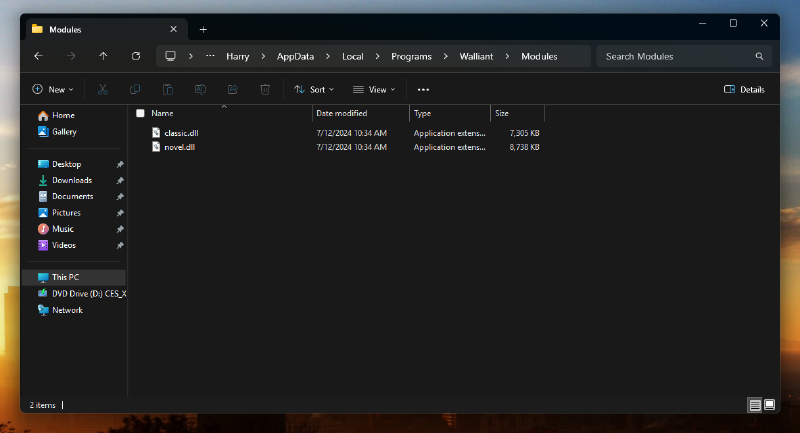
Unfortunately, these DLLs weren’t written in C#, so that made my job much harder. Using Detect It Easy , I found that both were compiled with Go. So opening up IDA (which was probably too much for this task), I looked at some function names inside the DLL files:
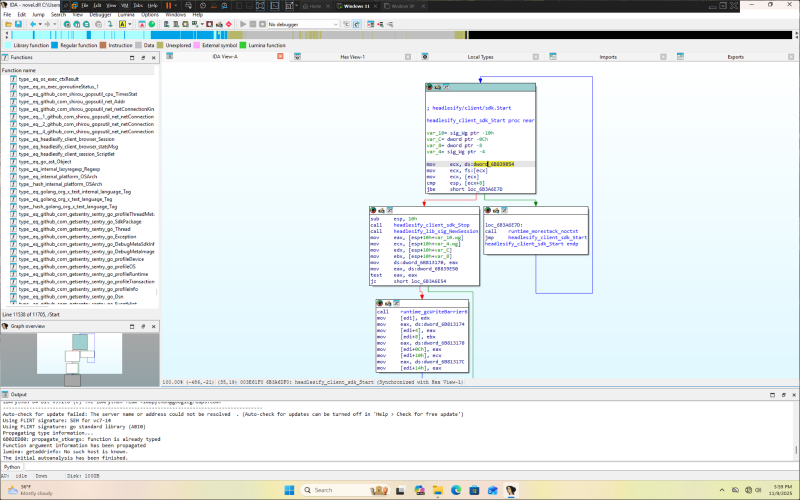
Notably, near the entrypoints invoked by Walliant, I found numerous references to a “headlesify” SDK. My regular search engines (Google, DuckDuckGo, and Startpage) were of no help, but Yandex showed a single result:
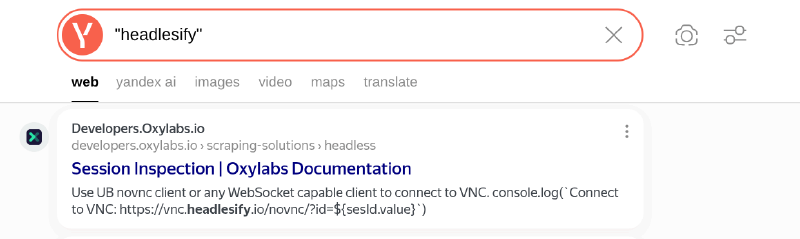
Though at the time of writing, this link is no longer functional, visiting Oxylabs’ home page shows a residential proxy product, which it describes as an “ethical proxy network.” With Walliant, that ethical branding wasn’t very reassuring.
Other apps?#
While looking into Walliant, I found that it wasn’t alone. Remember this sentence?
Disclaimer sentence
You can use the software free of charge by allowing our proxy service [to] use your connection to legally retrieve content from public websites.
Searching it revealed… more apps, all using the GlobalHop SDK.
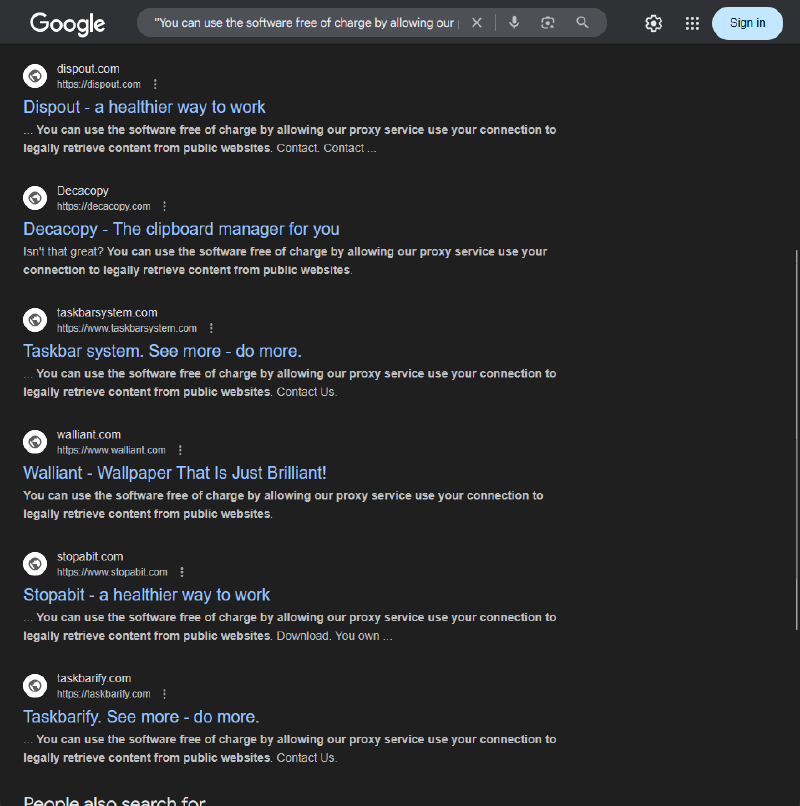
In fact, there were several duplicate apps, simply rebranded. Here’s all the ones I could find (URLs defanged for your safety):
| URL | Name | Notes |
|---|---|---|
hxxps://dzentime[.]com | Dzentime | Screen time reminder app |
hxxps://restminder[.]com | RestMinder | Same as Dzentime |
hxxps://dispout[.]com | Dispout | Same as Dzentime |
hxxps://stopabit[.]com | Stopabit | Same as Dzentime |
hxxps://taskbarify[.]com | Taskbarify | Taskbar customization app (only works on Windows 10/StartAllBack though…) |
hxxps://taskbarsystem[.]com | Taskbar system | Same as Taskbarify |
hxxps://walliant[.]com | Walliant | Wallpaper app |
hxxps://barousel[.]com | Barousel | Same as Walliant |
hxxps://cloudorsky[.]com | Cloudorsky | Weather forecast app This one’s really lame. You have to right click on the tray icon to see the weather, and it only shows you the temperature. |
hxxps://decacopy[.]com | Decacopy Lite | Clipboard manager (think Win+V) Defunct; download returns a 404 Interestingly, this one is written in Go and not C# like the others. |
hxxps://viewndow[.]com | Viewndow | Similar to PowerToys’s “Always On Top” tool |
hxxps://pinaview[.]com | Pinaview | Same as Viewndow |
I took a look at these other apps, and many of them (except Decacopy) reuse the same (proxyware) codebase. Maybe I’ll release cleaned versions of them sometime in the future!
But for now, the investigation ends here.
And here’s the code!
https://github.com/nebulanw/Brillipaper
There’s pre-built executables (installer and portable) in the Releases section.
If you don’t trust me, though, you can always build it yourself; see the README.md!